.png?width=365&height=73&name=%F0%9F%92%A1EMPLOYEE%20KNOWLEDGE%20BASE%20(2).png)
ParentSquare Family QR Code Flyer
Use this flyer to help families quickly connect with ParentSquare and stay up to date on communications from their AlphaBEST program. The flyer includes a QR code families can scan to access ParentSquare.
How to use it: Print and post the flyer near your check-in/check-out area, front desk, family information board, or another visible location. You can also share the flyer directly with families who need help getting connected.
Download: ParentSquare Family QR Code Flyer
I’d probably place this near the top of the article, after the initial explanation of ParentSquare but before the detailed onboarding steps. It’s one of those resources a Site Director may come to the article specifically looking for.
JUMP TO
- Video Overview
- ParentSquare Family QR Code Flyer
- How to Post
- How to Use Expedition Templates
- Have issues with Parent Square?
Parent Square Video Overview
Jaime Jones July 2026
Communication Expectations
- Parent communication is mandatory.
- Communications should be sent out to all families on a weekly basis, in addition to a monthly newsletter.
- Communications should be sent about program details (e.g., picking up in the gym instead of the classroom, lost and found)
ParentSquare Family QR Code Flyer
Use this flyer to help families quickly connect with ParentSquare and stay up to date on communications from their AlphaBEST program. The flyer includes a QR code families can scan to access ParentSquare.
How to use it: Print and post the flyer near your check-in/check-out area, front desk, family information board, or another visible location. You can also share the flyer directly with families who need help getting connected.
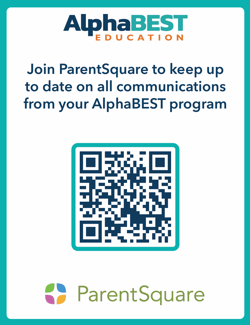
Download: ParentSquare Family QR Code Flyer
I’d probably place this near the top of the article, after the initial explanation of ParentSquare but before the detailed onboarding steps. It’s one of those resources a Site Director may come to the article specifically looking for.
How to Post:
- Site Home Page
- Click New Post
- Choose the class in the To section
- Add the Subject
- Fill in the description section
- Add any photos, videos, links, or docs (i.e. Monthly Newsletter Templates)
- Select your notifications option as “send at recipients preferred time” (IF THE MESSAGE IS TIME SENSITIVE THEN CHOOSE “SEND INSTANTLY”)
- Select Post Now
How to use Expedition Templates:
- Go to the Add-ons tab
- Choose Newsletter/Post Templates
- Click on the Start of Week template or End of week template
- Highlight and copy the template
- Go to the District or Site Home tab
- Start a New Post
- Paste the template into the description section
- Fill in expedition information
Having Issues with Parent Square?
Email: parentsquare@alphabest.org